
Instasquare Photo Editor: Neon
Lyrebird Studio
Advertisement
Advertisement
Screenshots
Expert Review
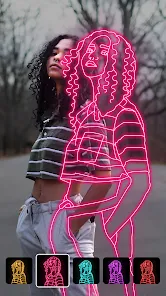
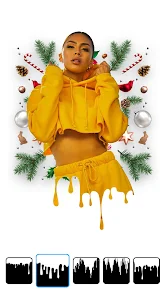
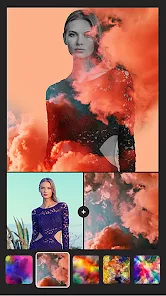
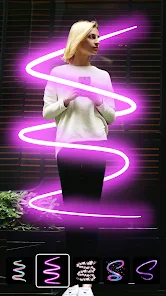
📸💖 Instasquare Photo Editor: Neon, crafted by Lyrebird Studio, stands out in the crowded world of photo editing apps with its unique neon and glitch effects that cater to the ever-evolving trends on social media. This vibrant app lets users unleash their creativity on snapshots, transforming mundane images into dazzling artwork. With its user-friendly interface and a cornucopia of editing tools, Instasquare has carved a niche for itself among influencers, digital artists, and everyday users looking for that extra pop in their photos. 🌟✨ Among its peers, it shines due to its exceptional neon filter palette and glitch art options, making it a hot favorite for those looking to add an avant-garde or retro digital aesthetic to their images. If you're eager to elevate your photo game and stand out with electric visuals, Instasquare is just a download away. Let's dive into a world where your pictures can truly glow! 🎨👩🎨 Embrace the radiance and download Instasquare today to give your photos the neon treatment they deserve!💡❤️
Key Functional Highlights
- 🌈 Neon Filter Suite: Offers a plethora of neon filters that allow users to add visually electrifying effects to their images, making each photo a standout piece.
- 🖼️ Collage Maker: Users can combine multiple photos into a single custom collage, leveraging various layouts and background options for a cohesive look.
- ✂️ Background Eraser: Provides an easy-to-use background removal tool, empowering users to isolate subjects and replace them with new scenic or plain backdrops.
Advantages & Benefits
- 👏 Intuitive Design: Boasting a seamless and intuitive user interface, Instasquare ensures an enjoyable editing experience even for those less familiar with photo editing software.
- 🎭 Variety of Effects: With an extensive selection of filters, effects, and stickers, the app caters to virtually any aesthetic, from classic elegance to modern neon vibes.
- 📲 Instant Sharing: The app provides direct sharing options to popular social platforms like Instagram and Facebook, which makes flaunting your photo masterpieces effortless.
Areas for Improvement
- 🔄 Occasional Lag: Depending on device performance and app updates, some users may experience slow response times when applying certain effects.
- 🔒 In-App Purchases: To access the full catalog of features, users might need to make in-app purchases, which could be a drawback for those looking for a free experience.
- 🎨 Overwhelming Choices: The sheer variety of filters and effects can be overwhelming for new users, making it challenging to choose the perfect enhancements for their photos.
Recommended Apps
-

Amazon Shopping
Amazon Mobile LLC4.1 -

Instagram
Instagram3.9 -

Toca Boca World
Toca Boca4.3 -

Subway Surfers
SYBO Games4.6 -

Grok
xAI4.9 -

X
X Corp.4.0 -

McDonald's
McDonalds USA, LLC4.6 -

Facebook
Meta Platforms, Inc.4.0 -

WhatsApp Messenger
WhatsApp LLC4.4 -

Snapchat
Snap Inc4.1 -

Pandora - Music & Podcasts
Pandora4.1 -

Spotify: Music and Podcasts
Spotify AB4.3 -

CapCut - Video Editor
Bytedance Pte. Ltd.4.0 -

DeepSeek - AI Assistant
DeepSeek4.2 -

Cash App
Block, Inc.4.6